

Online Banking
Everyday Convenience
Banking Made Easy, Wherever You Are
With TBA Credit Union, managing your money is always a plus. Our online and mobile banking services give you secure, 24/7 access to your accounts—whether you’re at home, at work, or on the go.

Manage Money Your Way
Online Banking – A Plus for Everyday Life
Our Online Banking platform puts control at your fingertips. Log in anytime to view balances, transfer funds, and manage your finances with ease.
Features that make online banking a plus:
- Account management: Check balances, view transaction history, and search past activity.
- Bill Pay: Schedule one-time, recurring, or future payments directly from your checking account.
- Pay Anyone: Send money securely using just an email or phone number.
- ACH & Quick Transfers: Move money between accounts instantly.
- Message Center: Communicate directly with TBACU for support.
- Loan Services: Apply for loans, skip payments, or manage your TBACU credit card.
- Customizable dashboard: Choose favorite accounts and features for a personalized experience.
Bank from Anywhere
Mobile Banking – A plus on the go.
Download the TBACU Mobile App for iOS or Android and take your credit union with you wherever you go.


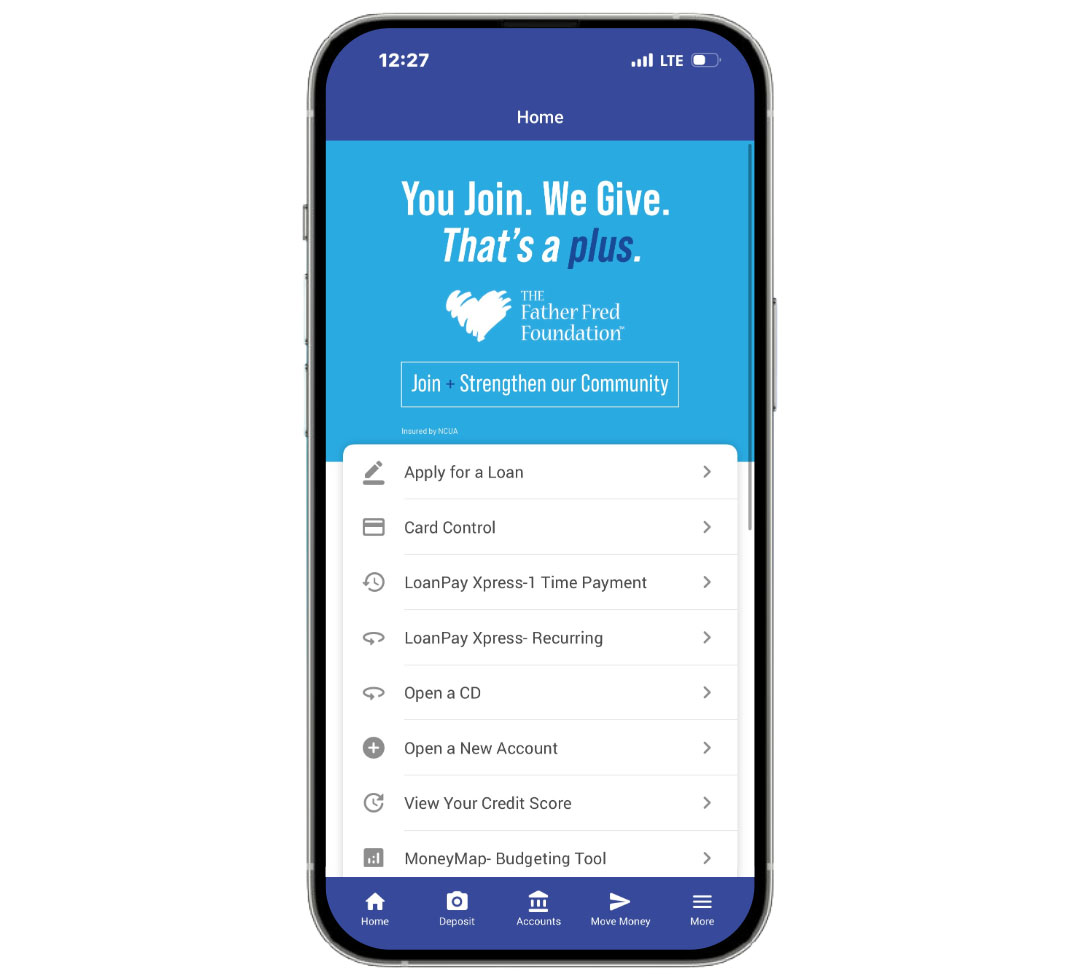
Features that make mobile banking a plus:
- Remote Deposit Capture (RDC): Deposit checks anytime, anywhere using your phone’s camera.
- Move Money: Transfer funds, pay bills, or send money with Pay Anyone.
- eAlerts & Text Banking: Get real-time notifications about balances, deposits, and transactions.
- Digital Wallets: Use Apple Pay, Google Pay, or Samsung Pay with your TBACU debit or credit card.
- Secure login: Biometric authentication (fingerprint or face ID) for added protection.
- 24/7 access: Manage your accounts anytime, anywhere.
Every online and mobile banking feature is designed to make your financial life easier, safer, and more flexible. From paying bills in seconds to depositing checks without visiting a branch, you’ll discover that every way you bank with TBACU is a plus in your life.
Download the TBACU Mobile App today or log in to Online Banking to experience the plus side of banking.
Budgeting Tool
Money Map
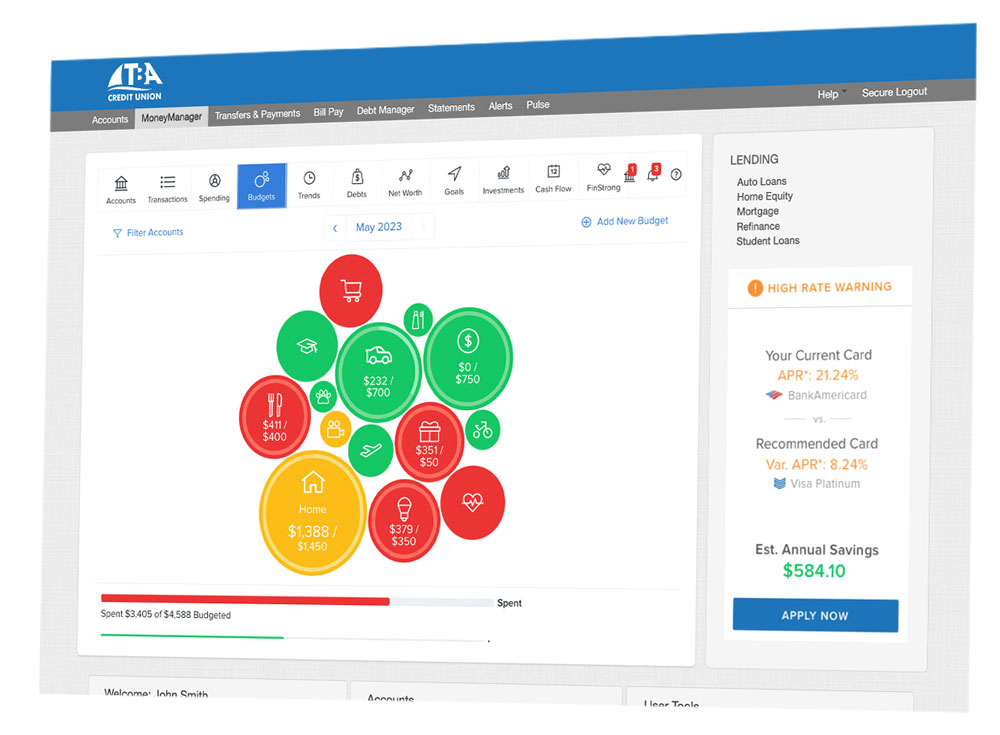
Managing money can get complicated with so many financial obligations, purchases, and goals. Make it simple — with a single view of your TBACU accounts as well as accounts from other Financial Institutions, with MoneyMap – Budgeting Tool. Gain a more complete picture of your finances to help you better manage your money and customize your budgets. Log into online banking or your mobile app to get started today!
Pay with Ease
Bill Pay
Bill Pay is a convenient online service that allows you to pay your bills through online banking or the TBACU Mobile App. You can set up one-time payments, schedule future payments, or create recurring payments from your checking account. This service helps you manage your bills in one secure place, saving you time and avoiding late fees.
Quick Setup
Get started with Bill Pay through your TBACU account
Online Banking
- Log in to your online banking account.
- On the right-hand side, click Bill Pay.
- Follow the easy steps to enroll in.
TBACU Mobile App
- Log in to the TBACU Mobile App.
- At the bottom of the screen, click Move Money.
- Select Bill Pay and follow the steps to enroll.
Pay Anyone
With Pay Anyone, you can easily send money using your TBACU Checking Account to anyone using their email address or, a phone number to receive a text message. It’s simple, fast, and secure – just the way you like it! Here’s how to get started with Pay Anyone through your TBACU account.
Get Started with Pay Anyone
- Log in to your online banking account.
- On the right-hand side, click Pay Anyone.
- Follow the easy steps to enroll in Pay Anyone.
Text Banking Commands
Go mobile with Text Banking Commands (Message and data rates may apply). Utilize the programmed text commands or customize your own text command.
- Pay your loans
- Transfer funds
- View account balances
Custom text banking commands allow you to pay on your loan, transfer funds, or view account balances.
You can create custom commands using the TBACU Mobile app or ItsMe247 Online banking.
Mobile App: Once logged into the mobile app. Select Accounts at the bottom of the screen. Click on Text Banking, Text Transfers, and Create New Transfer Code. Follow instructions to create new code.
Online Banking: Hover over Go Mobile and click on More Information under Text banking. Select Transfer Codes. Follow instructions to create code.
Text the text banking command, TRANS, to 46247, along with your custom command and the amount, and funds will be transferred immediately.
Example Text: TRANS MYCODE 100.00
No. You do not need a dollar when transferring funds
Example Text: TRANS MYCODE 100.00
Yes. If you have more than one membership tied to your cell phone number, you will need to include your “membership nickname” in your text command. Your membership nickname can be found using the TBACU Mobile app or ItsMe247 Online Banking.
If you receive an error message, please double check the follow:
- If you added a dollar sign, remove it
- Double-check you are using the correct custom code
- If you have multiple accounts tied to your number, include your “membership nickname”
- If these fixes do not work call or text our Service Center at 231.946.7090. They are available Monday – Friday: 9:00 a.m. – 5:00 p.m.


